Tuesday, December 9, 2008

NetFlix On Tivo

No comments:

Dooooooods! Not only can you order pizza and carry on a technosexual relationship with your Tivo, but as of today, you can watch Netflix on it. I'm never leaving the house again...ever.

LIGHTS, CAMERA, ACTION! MOVIES AND TV EPISODES
FROM NETFLIX DIRECTLY TO THE TV THROUGH TIVO DVRs AVAILABLE TODAY

Just in Time for the Holidays, Offering Brings Budget Conscious Entertainment to Consumers

ALVISO, Calif. - December 8, 2008 — After announcing a groundbreaking partnership in October with Netflix Inc., TiVo Inc. (NASDAQ: TIVO), the creator of and a leader in television services for digital video recorders (DVRs), today announced that subscribers to both Netflix and TiVo® Series3, TiVo HD, or TiVo HD XL can now access thousands of movies and TV episodes instantly streamed from Netflix directly to their TVs.

The service is being offered at no additional charge to customers who subscribe to both services. This morning subscribers can browse through an expanding library of more than 12,000 movies and TV episodes at www.netflix.com, add them to their Netflix instant Queue, and then watch them on TV with just a click of the TiVo remote. The library includes titles from every genre, with a modest selection of HD content available as well. Both standard and HD titles are expected to grow in the weeks and months ahead.

“With so much talk focusing on the economy these days, this partnership makes more sense than ever because it brings people more movies at home, offering substantially more entertainment options than cable or satellite," said Tara Maitra, GM and Vice President of Content Services at TiVo Inc. “TiVo offers consumers everything they need from just one box. Not only great content from Netflix, but also movies from The Walt Disney Studios and Amazon, music from Rhapsody, videos from YouTube and even pictures from Picasa Web Albums and Photobucket. And that’s all in addition to TiVo’s core functionality that made us a favorite in the first place. It adds up to a one-of-a-kind value.”

“Netflix offers an unbeatable combination of convenience, selection, and value, which now extends to TiVo customers,” said Netflix Chief Marketing Officer Leslie Kilgore. This partnership is a win-win-win for Netflix, TiVo, and consumers alike.”

Movies are streamed from Netflix through TiVo DVRs via wired or wireless broadband connection and a Netflix Queue-based user interface. Members visit the Netflix Web site to add movies and TV episodes to their individual instant Queues. Those choices will automatically be displayed on subscribers’ TVs and are available to watch instantly through the TiVo service. With the TiVo remote control users can browse their instant Queue, make selections right on the TV screen, as well as read synopses and rate movies. In addition, they have the option of pausing, fast-forwarding, rewinding and re-starting whenever they wish.

For more information on how to have movies instantly streamed from Netflix via your TiVo DVR visit www.tivo.com/netflix

Sony to cut plants and 8,000 jobs

No comments:

Sony has announced plans to cut 8,000 electronics jobs - 5% of the division - as well as shutting 10% of its manufacturing sites.

The company said the jobs would be cut by April 2010 but did not say in which countries the staff would go.

Sony said it had been trying to reduce production because of the downturn but warned it still had to do more.

The news came as Japan said its economy had shrunk between July and September by much more than initially estimated.

The Cabinet Office said the economy had shrunk at an annual rate of 1.8% in the quarter, compared with its original estimate of 0.4%.

Investment cut


Sony aims to generate cost savings of about 100bn yen ($1.1bn; £730m) by the end of the next financial year.It will cut its investment in electronic operations by 30% and shut down about 10% of its 57 production facilities."The number sounds big, but this staff reduction won't be enough," said Katsuhiko Mori, a fund manager at Daiwa SB Investments.

"Sony doesn't have any core businesses that generate stable profits - the next thing we want to see is what is going to be the business that will drive the company."

[world/BBC News]

FYI: Blending a Charged iPhone Causes Explosions and more...

No comments:

 
On Saturday at the Gizmodo Gallery, we blended a fully-functioning iPhone with a Blendtec, sacrificing it to the gods of copy and paste. What we learned was that if you blend an iPhone with its battery inside, it explodes. Whoops!Yeah, so we probably should have taken the battery out, but we wanted to show that it worked when we blended it (the iPhone was Blam's first generation model). Of course, I was the idiot chosen to do the blending, but luckily I was wearing a lab coat, which caught most of the battery acid milkshake. The same can't be said for Brian, who caught a lot of it on the face, but luckily none in his eyes.

Thursday, November 20, 2008

Sexy Athlete Yeah babes

No comments:

Sexy and hot well toned Carly Zucker is Joe Cole’s footballer fiancee.

They were engaged in May of 2007, a year after Carly fell into the spotlight at the 2006 World Cup.

The proposal followed dinner at a trendy London restaurant called The Ivy.

It’s a good thing she said yes, as the ring cost the Chelsea footballer over $100,000.

Carly is a personal trainer known for her washboard stomach, but she came under fire last year when she dropped from a size eight to a size zero.

The tabloids speculated that she had an eating disorder, but Carly claims that that isn’t true. “I lost a lot of weight last year simply because I stopped my weight training.

It was a lifestyle change after I left the gym I’d been working in. That’s all there was to it.” Thankfully, Carly has resumed her exercise (or her eating, depending on who you believe) and is back to her normal size.


Carly Zucker - SEXY

Optimize With RSS

No comments:

Perhaps for this Rss search engine you are Tenhnorati, MyBlogLog, Digg, Del.icio Directory and other server. If your only hope with that, maybe your site traffic will not be any improvement. Imagine when you create interesting content and have to create duplicate Rss FeedBurner then you realize, without none of those who read them. What happens if you Feedcount no improvement, your content is not bad but you less incentive to make your campaign rss.

An easy way which you can increase traffic to register with the RSS feed en masse to Rss various search engines. Forget manually, do not spend your time doing it, order the registration process to be easy, I recommend using the assistance Rss submit, with tools, this means you have to do your rss submit to 80 directories at once. Said Feedcount you can experience an increase of 80 coming and this is not including the readers. Unfortunately these tools are not free, you have to spend a little pocket that is not, do not worry you can try a trial version that can submit to 18 rss directories only. You should download here

If your objection to the price above the tools I try to provide other alternatives. you can use Allscoop Rss Submit where you are given the opportunity to do rss submit to 50 directories, because of course free amenities are minimal .. so do not expect much with this tool. please download here

In addition, I suggest you do submit rss only once, not done repeatedly, this action to avoid spam .. select one of the above tools to make your match. Actually there are many similar tools, you can try .. if you want to please this hunting tools in the search or can just click here
no need your credit cards.

Tuesday, November 11, 2008

Sony Ericsson launch camera phone marketing campaign

No comments:
Collecting - 27-10-08
C902


Iris Digital is behind the latest Sony Ericsson global digital campaign timed to coincide with the release of new James Bond film Quantum of Solace.

Sony Ericsson's C902 Titanium Silver Cyber-shot phone is used by James Bond in the film and the campaign allows users to download mobile applications such as a wireless spy cam and fingerprint scanner.

Users can unlock the code to download mobile applications by participating in an interactive movie Directive C902 via microsite www.sonyericsson.com/bond. All players can also enter a competition to win a VIP trip to Monte Carlo.

"This is a great opportunity for Sony Ericsson to leverage its ongoing relationship with the most eagerly anticipated release of the year," said Sony Ericsson director of global marketing communications Cathy Davies.

"As well as enabling our customers to actually own the James Bond phone we're able to offer them unique experiences online, in-store and through partner marketing as well as through the phones themselves."

Monday, November 10, 2008

GIZ Explain

No comments:
giz

The phrase "64-bit" has been tossed around lately, the most it's been since the Nintendo 64. If you haven't heard it, pay attention. One of the most important steps forward in computer power is happening right under your nose, but most people don't know thanks to the sneaky efforts of Microsoft and Apple. Though fully 64-bit operating systems are the OSes of tomorrow, you can taste some of that power today with 64-bit versions of Windows and OS X. Here's why 64-bit computing is so awesome:

In a word, memory. We're not going to get super nerdy on you here (Wikipedia will gladly go there). To keep it simple, the whole bit thing (16-bit, 32-bit, 64-bit) refers to how much data the computer can keep track of, or talk to, at once, and that's what determines how much memory it can handle. A processor with 32-bit memory addresses can basically roll with 4GB of RAM. A 64-bit system can rock, on the other hand, 16 exabytes of RAM. That's 16.8 bmillion terabytes. Of RAM. You're not going to get that kind of memory, not anytime soon; for now, from a user standpoint, this means there's simply no ceiling to memory expansion.

So while 32-bit hardware and software—the current norm in PC-land—limited you to 4GB of RAM (Physical Address Extension will let you have more, but 32-bit software will still only use 4GB), with 64-bit hardware and software, you can use vast amounts of RAM, which enables a whole new world of possibilities for applications, since they'll have a massive amounts of memory to work with.

The road to 64-bit rather conveniently dovetails with the multi-core processor arms race, using graphics cards for processing and growth of parallel processing in mainstream computing. In other words, in just a short generation, applications will be able to harness an exponential increase in power over what they can use today—a crapload of processors working together with a smorgasbord of memory at their disposal. With 64-bit, computers can also crunch bigass numbers way faster, so it's excellent for science-y things. So get ready for some cool stuff.

You're probably asking: Why not now? I've heard of this 64-bit stuff before. Well, the hardware has been around for a while—64-bit super computers go back decades, and AMD brought 64-bit processors to the mainstream a few years ago with the Athlon 64, for instance. The PowerPC G5 for Macs was also 64-bit. And if you buy a Core 2 Duo today, it's 64-bit. But the operating systems regular people use have essentially been slow to adopt 64-bit until recently, and won't plunge excluslively into 64-bit for another generation, Windows guru Ed Bott explained to us. Windows Vista ships with separate 32-bit and 64-bit editions, with Vista 64-bit being the first consumer-usable 64-bit version of Windows. Apple has been moving more and more of OS X over to a 64-bit architecture with every new version. Bott told us that while Windows 7 will have 32-bit and 64-bit versions, its eventual successor, Windows 8 (or whatever it's called) will likely be the first Windows that's exclusively 64-bit. Reportedly, next year's Mac OS X Snow Leopard will be 64-bit down to the kernel.

The reason 64-bit is the future and not the present is that 64-bit is a whole different architecture from the 32-bit status quo—different kernel means different drivers, application compatibility issues, that kind of stuff. A swift, clean break means lots of headaches, especially for the corporate world, which, as Bott told us, is as big of a concern for Microsoft as the consumer space. That's why Apple has been transitioning OS X to total 64-bit over time, and why Microsoft will still ship a 32-bit version of Windows 7. And likely, Bott says, an exclusively 64-bit Windows 8 would have a virtualization setup to run 32-bit apps. "Fortuitously," he told us, "an x64 system with lots of memory should scream at virtualization."

Another hitch on the path to true 64-bit glory that Bott raised is the question of "When will people outside of the specialized work software" like Adobe (Photoshop CS4 will be a native 64-bit application in Windows, though not in OS X) write 64-bit apps? With the coming wave of many-core parallel processing and ridiculous amounts of memory to take advantage of, programmers have a lot to play (and deal) with. Applications have to be re-written to take advantage of the multiple cores and huge amounts of memory at their disposable, and that transition is going to take some time. The other slight downside 64-bit Bott mentioned—and it is slight—is that hibernation will be slower, since all that memory means more to write to the hibernation file, and more to read when it wakes up.

While that awesomeness sounds like it's too be good to be the norm anytime soon, it's not. Leopard already does quite a bit of 64-bit voodoo, like having a 64-bit GUI and Vista 64-bit is supplanting 32-bit on computer maker's systems, now that the driver situation isn't so abysmal. And while four totally usable gigs of RAM in a Vista machine is a thing of beauty, 6GB and 12GB will quickly become the standard for performance machines with the launch of Intel's Core i7, since it uses triple-channel memory—three delicious sticks of RAM—so 64-bit couldn't come soon enough.


UPGRADE YOUR SMART PHONE

No comments:

HTC has always known their biggest weakness: Windows Mobile. They've done their best to hide the aged interface in glossy costumes and bolster performance, but they can only do so much—the OS is slow, buggy and can drain battery life on certain hardware. Luckily, Windows Mobile responds well to per-device modification. A dedicated community of hackers called XDA has built a collection of streamlined, debugged, turbocharged OS builds (or ROMs) to resuscitate your flagging HTC phone, along with some less daunting smartphone tweaks for the weaker stomached.

Now, it bears mentioning that HTC is pretty diligent about updating their phones, releasing driver and software updates to improve performance when necessary. Problem is, these updates don't usually trickle down through the cellular providers, leaving most users stuck with the first (and only) generation of the phone's branded—and sometimes crippled— software. Thanks to XDA, most users can switch to an up-to-date OS, with a variety of extra tweaks added at the discretion of the community.

What do you stand to gain from upgrading your ROM?


  • Better battery life
  • Faster performance, especially in TouchFLO 3D
  • Stronger reception
  • Quicker, less laggy GPS locking and tracking
  • Bundles of useful software, included updated, faster Opera browser
  • Reenabling carrier-chopped features such as tethering, HDSPA

Popular phones best suited for upgrade:

The prospect of upgrading your phone's entire OS might sound intimidating, but the XDA community has provided GUI tools for each step. The procedure is not risk-free, but the success rate polls highly among people who follow the directions closely. I flashed T-Mobile's branded Diamond, the MDA Compact IV, without incident.

Ready to give this a shot? XDA's detailed guides are available here:

If ROMs and bootloaders and radios all sound too scary (and I wouldn't blame you), XDA also has a hefty collection of simpler tweaks and mods for your HTC phones, including themes, games and apps that you might not find elsewhere.

Expect to hear a lot more about these guys in the coming months—they'll probably be the first ones to port Android to older HTC handsets. As of the 4th, they've got a severely gimped version of Android 0.8 (the G1 launched with 1.0) running on the Diamond, so an "Install Android on Your HTC Phone" Dealzmodo Hack is inevitable, if still pretty far off. [XDA Developers and ModMyDiamond]

Friday, November 7, 2008

Sumanto Makan Korban Lagi

No comments:
4_mata
Sumanto Makan Korban lagi..., wah belum sadar nih doi..., eits tunggu dulu kali ini Sumanto gak makan daging manusia lagi, korbannya sekarang adalah sebuah program acara Talk Show yang mempunyai rating yang tinggi yang disiarkan oleh salah satu stasiun televisi swasta di negeri ini. Tentunya anda sudah tidak asing lagi dengan acara Empat Mata kan..? Acara inilah yang jadi korbannya Sumanto Kali ini.
Wah.. koq bisa ya...? Gara-garanya 'Empat Mata' yang dibintangi Tukul Arwana itu mempertontonkan bintang tamu makan ikan hidup-hidup.
Mulai Selasa (4/11/2008), Komisi Penyiaran Indonesia (KPI) memerintahkan Trans7 untuk menghentikan penayangan 'Empat Mata".
Menurut Ketua KPI, Sasa Djuarsa Sendjaj, sanksi itu dikeluarkan setelah pihak KPI melayangkan tiga surat teguran. Dan penghentian ini durasinya paling cepat satu bulan dan paling lama tiga bulan ( wah cuti nih om Tukul ) pasalnya Program acara ini telah melanggar pedoman perilaku penyiaran dan standar program penyiaran ( Standar yang mana ya..?).
Gimana Menurut anda...?

Monday, November 3, 2008

Must Watch This...!

No comments:

VIDEO TUTORIAL FOR GOOGLE ADSENSE PUBLISHER


This is video tutorial for new in google adsense publisher. so watch this carefully


How To Remove XPAntivirus Tutorial


Friday, October 31, 2008

Gizmodo Top Stories of the Week

No comments:

Fri Oct 31 2008

LEGO

Exclusive: The Lego Minifig Timeline - gizmodo.com

We have worked with Lego to painstakingly collect and catalog almost every minifig ever produced into a photographic timeline. You will be able to see the evolution of the iconic figure, from the very first sets in the 70s that you saw in our exclusive tour of the secret historic Lego vault to the latest and greatest ones in 2008. Sensory overload ahead.

POSTED: Thu Oct 30 2008 20:00

________________________________________________________

nxe

New Xbox Experience (NXE) Review: It’s Pure Improvement

This November, the Xbox 360 will turn three. So far, it’s been a profitable and successful system for Microsoft, capturing the attention of developers, snatching exclusives away from the PlayStation 3 and gaining lots of street cred from hardcore gamers.

But in spite of this success, Microsoft has chosen to make an aggressive, totally unprecedented step. They’re completely overhauling the Xbox 360 firmware with a free update called the New Xbox Experience (NXE) that hits consoles on November 19th. Functionally, it’s hiding at least one killer app. Visually, it’s a bigger jump than Windows XP to Windows Vista. Given that NXE is a mandatory update for anyone on Xbox Live, it’s a good thing we really, really liked it.

POSTED: Wed Oct 29 2008 00:02
See more on : http://gizmodo.com/5070189/new-xbox-experience-nxe-review-its-pure-improvement

________________________________________________________

windows 7

Windows 7 Walkthrough, Boot Video and Impressions

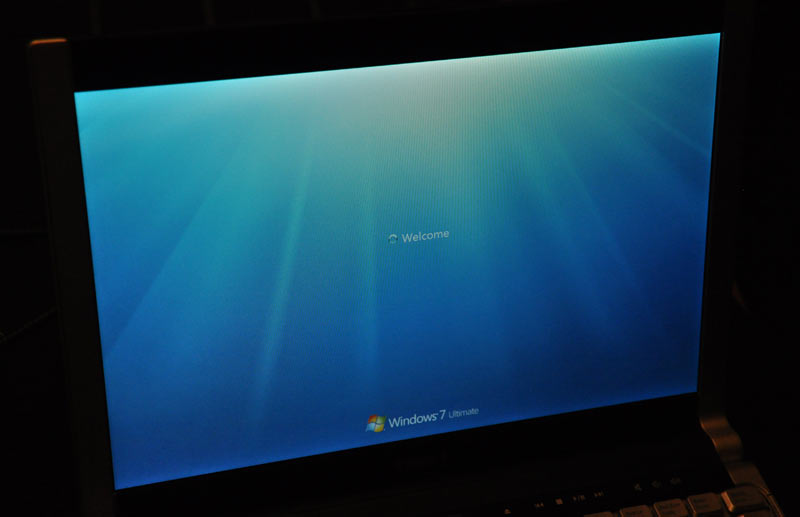
Like Elvis in ‘68, Microsoft is itching for a “comeback,” and Windows 7 is the perfect excuse. In fact, this week in LA at the Professional Developers Conference, Windows 7 officially shoved Vista aside. Having suffered through the often deserved criticisms of that ill-fated OS installment, Microsoft’s people are thrilled to tears to be able to talk about something (anything!) else. On Sunday, they took journalists through a lively 7-hour orientation on Win 7, then handed off a Dell XPS M1330 loaded with pre-beta Build 6801. Thankfully for the overworked, underappreciated developers at Redmond, it’s surprisingly stable, and its look and feel already puts Vista to shame.

POSTED: Tue Oct 28 2008 12:00
See more on : http://gizmodo.com/5069661/windows-7-walkthrough-boot-video-and-impressions
________________________________________________________

Wednesday, October 29, 2008

10 Tips To Save Energy At the PC and Laptops

No comments:

Below are ten tips that you can use to save energy on the PC and laptop.

1. Set and Lighting Contrast Monitor

Perhaps for the beginner or newbie in using the computer, they rarely consider their monitor settings. That in this case is the level of lighting and contrast is set too high will be able to spend a lot of energy. But for that you should set the lighting and contrast, for set and lighting contrast monitor the use of key panel on monitor.

2. Turn off Monitor
Second tips is turn off monitor, especially to monitor where the type is CRT (Cathode Ray Tube), because it's consume more electricity. So, if you want to leave the PC in a long time, you should to turn off your monitor. You should be to set Windows automatically turn off monitor in a certain time, it can be done in a way, click "Control Panel-Options". In the "Power Options Properties" click on the tab "Power schemes". Then click the arrow on the "Power schemes" and select "Home / Office desk." Then select the desired time on the "Turn Off Monitor "and click " Apply "and" OK ".
3. Turn off hard drive

Although we are not doing anything on the computer, but your data will always be read from hard drive (by the operating system and some applications). For this reason, hard drive will be never stop to working and of course this will be spent the energy. If you want to leave your PC in a long time, it should be to turn off your PC's hard drive. In the "Power Options Properties" and click the tab "Power Schmes." Click on the arrow and select "Home / Off desk." Then click "Turn off hard drive" and choose the time when to turn off hard drive. Then click the "Apply" and "OK".

4. Turn off equipment Other

Turn off other equipment, such as, speakers, external modem, scanners, Zip drives and printers. Because the equipment is spend a lot of energy. Many people often to leave equipment These are active, even when we are out in the a long time.

5. Hibernate mode

Hibernate mode is the facility to shut down, but not yet close or turn off applications that are open before. This is can be done by selecting Mode to "Hibernating." With this mode, the content of main memory (RAM) will be stored in the hard drive. To activate this mode follow this step, in "Power Options" Click the tab "Hibernating." Then check box "Enable Hibernation". Then click on the "Advanced" tab find the "When I Press the power button," and click on the arrow and then click "Hibernating." Click "Apply" and "OK". Then press the "Power" on your computer. And now hibernate mode is working, press the "Power" once again, your computer will up and will automatically open the application you have to open before.

6. Standby mode

In order to save energy, should be to set monitors and hard drive in the most low on standby mode. If you want to briefly leave the PC, you should be to enable standby mode. However, you have to know is, when the standby mode activated the data that you fail to save will be lost if your PC in experience damage. You should better to save your data or documents before you activate the standby mode. The standby mode can be done with, click the "Start-Turn Off computer" and click on "Standby".

7. Use the UPS

Always use UPS (Uninteruptable Power Suplay), because this device can help to rescue data or shut down the electricity when the death occurred. To set UPS equipment and configure the equipment was "Power Option Properties "and select the UPS tab. The status of the UPS tab displays the estimated number of minutes that can be supported by UPS to your PC. Actually a lot ways to configure UPS, but this depends on the model and capacity of UPS used.

8. Laptop Batteries

If you charging the laptop battery, make sure the charge is done. Because the charge by half ago resumes, it will consume even more energy. If you want to travel, you should always take the additional battery. To save the battery usage. You can take advantage of features Hibernate / Suspended or use the electric socket that is connected to the stop contact.

9. USB port

If you use removeable device while using laptop, remove it if no longer used

10. Energy Consumption scheme Laptops

Usually laptops producers also includes features and power management software. This software is very useful for the consumer laptop, because the software is able to manage the use of and battery power are used. In this software there several options that can be used to know the burden of the hard drive and other energy that is used by the laptop. Among them know the processor speed or monitor the appropriate lighting to be able to save the battery. This software also can be supervisors for us when using laptops.

AXIOO Pico DJM 616A Netbook

No comments:
Best Product from Axioo is Pico DJM 616.
The first netbook powered by the Intel atom technology. Brings you to the new era of technology, elegant design, small and light weight with 8 hours long life time battery.


Specification :

Processor :
  • Intel® Atom™ processor N270 ~ 1.6Ghz, 512Kb L2 Cache, FSB 533MHz

Chipset :
  • Intel 945GSE (MCH)+ ICH7-M (ICH)

Memory :
  • (included) Onboard 1GB (DDR2 667 MHz, PC5300)
    (additional) 1x 200 Pin SO-DIMM Sockets DDR2, Supporting DDR2-533/
    667 MHz (Known As PC4200/PC5300)
    Total supporting up to 2GB (512/ 1024 DDR2 Module)

Graphics Controller :
  • Intel GMA 950 Integrated
  • Support Dynamic Video Memory Technology
  • Support Microsoft DirectX 9.0
Display :
  • 10" TFT 1024 x 600 resolution (WXGA)

Storage / Drivers :
  • 1x Nand Flash Card
  • 1x 2.5" HDD S-ATA 160 GB


Keyboard :
  • Winkey Keyboard
  • Built-in Touch Pad

Sound System :
  • High Definition Audio Direct Sound 3D Compatible
  • Built-in Microphone & Two Speaker


I/O Ports :
  • 3x USB 2.0 Ports (USB 1.1 Compatible)
  • 1x External CRT
  • 1x Headphone Jack1x Microphone Jack
  • 1x Internal Microphone1x
  • RJ-45 Jack for LAN
  • 1x DC-In Jack

Slots :
  • 3 in 1 Card Reader Support (MMC/SD/MS)
Communication :
  • 10/100 Mb Base-T Ethernet
  • Wireless 802.11 b/g

Camera :
  • 1.3 MP Video Camera Module

Power: :
  • Full Range 40Watt AC Adapter

  • 3 Cells Smart Battery Li-on 11.1V/2.2Ah (Removable)/ 6 Cells Smart Battery Li-on 11.1V/5.2Ah (Removable)
  • RTC Battery

Security: :
  • Kensington® Lock

Support O.S :
  • Linux, Windows XP and Windows Vista

Dimension: :
  • 260mm(w) x 180mm(d) x 19-31.5mm(h) 1.2 Kg
For More product from Axioo you can visit Axioo website

Monday, October 27, 2008

How to detect phishing scam sites

No comments:
How to detect phishing scam sites


Phishing sites/scams are designed to trick you into thinking you are at a legitimate website hoping that you will enter your login information, credit card information, or other personal information. It's difficult to detect these scams because they usually do a great job at impersonations. These phishing scams usually come in the form of an email. The email will look like it is from a legitimate source and saying something like the following:

[Subject: Paypal security department]

"Dear paypal user:

We have recently detected several attempts to log into your account from an unknown source. Please login to your Paypal account and confirm your security information."

The email will also include a company logo, as well as several other elements that a real Paypal email would look like.

The link that you think is supposed to log you into your account actually grabs your login information and stores it for the scammer to do whatever they want with.

How to determine if it's a scam / fake email:

Find the link they are trying to get you to click, without clicking on the link highlight over it, and look in the lower left hand corner of the email window. It should show a URL. If the URL does not begin with:

http://www.[domain].com

...where [domain] is the domain of company in which the email is about. So in this example, paypal is the domain - so the URL must begin with http://www.paypal.com. If it has anything else after the http://. IT IS A SCAM! Do not even click it.

Some email programs will not show the URL in the lower left of the window, so you can either take a chance and click the link, hoping that it's not linking to a virus script or play it safe and install antivirus software. Most popular antivirus programs have anti-phishing capabilities built in to detect these sites for you and warn you in advance. If you want to see who we recommend for antivirus software, check out antivirus software review site.

Be careful when you receive any email that talks about your account or recent security issues. Also, these scams usually imitate large, popular sites such as Paypal, Ebay, some large banks, etc... If you ever fall for one of these scams, and someone gets ahold of your account information, you could have some major headaches down the road.
I have receive email like that, after I read this article it's make me sure that email which I was receive is scam email, many thanks for the article.

PCMAV is Localy AntiVirus

No comments:
PCMAV is one of the antivirus software that is very powerful to combat the local virus variants and the original made in Indonesia. In each version PCMAV always make an additional list of the local virus was detected successfully. The latest version from the PCMAV is PCMAV 1.8. PCMAV is a portable antivirus not specifically require the installation so that the run did not feel heavy in the computer memory and not a burden. To increase the scope to detect the virus, PCMAV can also be combined with CLAMAV antivirus, so it can improve effectiveness in detecting variants of the virus.
If you feel interesting to try it you can download here

Campaign Upcoming

No comments:
This is one of my campaign blog, I'm in a mission to publish everthings which is usefull to everyone like information, news, refferences and more. So..., find out later in my blogs or anyone can help me to do more..? Gimme a little..., please